Introduction
The platform you trade on is not a minor detail — it shapes every decision you make, from how you read the market to how fast you execute a trade. Two names dominate the conversation in 2026: TradingView, the charting and social platform that has grown into a full trading hub, and MetaTrader (MT4/MT5), the long-standing workhorse of the retail forex industry.
Choosing between them — and finding the right broker to support your chosen platform — is one of the most consequential decisions a trader makes. This guide gives you the honest, detailed breakdown you need.
“Your platform is the lens through which you see the market. Get the wrong one, and even a profitable strategy can feel like navigating in the dark.”
— Professional FX Desk Commentary
What Is TradingView?
TradingView launched in 2011 primarily as a web-based charting platform. Over the following decade it evolved into a global ecosystem used by over 50 million traders and investors across equities, forex, crypto, commodities, and indices. Its defining features include:
- Charting Engine: Best-in-class charting engine.
- Over 100 pre-built indicators, custom Pine Script indicator creation, multi-timeframe layouts, and ultra-clean chart aesthetics.
- Social trading community. Share trade ideas, follow analysts, and access published scripts from the world’s largest community library.
- Multi-broker connectivity. Trade directly from the platform via integrated broker connections without switching tabs or platforms.
- Cross-device, browser-based. No installation required. Fully functional on desktop, tablet, and mobile browsers, plus dedicated apps.
- Screeners and alerts. Advanced multi-asset screeners and powerful multi-condition alert systems.
KEY POINT
TradingView is not a broker — it is a platform that connects to brokers. You still need a regulated broker account to place live trades, but TradingView acts as your trading interface and analytical hub.
What Is MetaTrader?
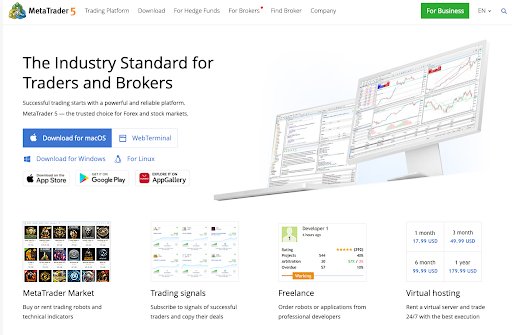
MetaTrader 4 (released 2005) and MetaTrader 5 (released 2010) are desktop trading platforms developed by MetaQuotes. For two decades, MT4 has been the de facto standard for retail forex trading, supported by thousands of brokers worldwide. MT5 is the newer iteration with support for stocks, futures, and a more powerful trading environment.
MetaTrader’s strengths centre on its automated trading ecosystem. The MQL programming language powers Expert Advisors (EAs) — automated trading robots — along with custom indicators and scripts. Its Marketplace contains thousands of paid and free EAs, making it the undisputed home of algorithmic retail forex trading.
TradingView vs MetaTrader: Head-to-Head
TradingView Web · Social · Charting | VS | MetaTrader Desktop · Algo · Broker-Native |
| Category | TradingView | MetaTrader 4 / 5 | Verdict |
|---|---|---|---|
| Charting Quality | Best-in-class. 100+ indicators, Pine Script, multi-layout, clean UI. | Functional but dated. ~30 indicators, less flexible layout. | TradingView |
| Automated Trading | Limited. Pine Script strategies can backtest but not auto-execute live trades. | Industry leader. Full EA marketplace, MQL4/5, one-click algo deployment. | MetaTrader |
| Ease of Use | Intuitive modern UI. Minimal learning curve for new traders. | Steeper learning curve. Interface feels outdated by modern standards. | TradingView |
| Broker Availability | ~50+ integrated brokers. Growing but still limited vs MT. | Thousands of brokers worldwide support MT4/MT5. | MetaTrader |
| Mobile Experience | Excellent. Full-featured app with real-time alerts and trading. | Adequate. Apps are functional but charting experience is inferior. | TradingView |
| Social / Community | Enormous community. Published scripts, trade ideas, analyst profiles. | No native social layer. Relies on third-party forums. | TradingView |
| Backtesting | Pine Script strategy tester with good visualisation. Less granular. | Very powerful. Tick-data backtesting, multi-currency, forward testing. | MetaTrader |
| Cost | Free plan available. Pro plans from $14.95/month. | Free via broker. No platform subscription required. | Draw |
| Multi-Asset Coverage | Forex, stocks, crypto, commodities, indices — all in one view. | MT5 is multi-asset; MT4 is primarily forex. | TradingView |
| Order Execution Speed | Slight latency vs direct MT connection. Dependent on broker link. | Direct bridge to broker servers. Often faster execution. | MetaTrader |

Who Should Use TradingView?
TradingView is ideal for discretionary traders, swing traders, day traders who prioritise chart clarity, traders who monitor multiple markets simultaneously, and those who want to engage with a trading community or publish ideas. It is also the superior choice for anyone trading on mobile or switching between devices regularly.
Who Should Use MetaTrader?
MetaTrader remains the preferred home of algorithmic and automated traders, scalpers who need ultra-low latency, copy trading setups, and traders who want access to the widest possible range of brokers. If you rely on an EA strategy or a VPS-based trading server, MT4/MT5 is still unmatched.
Best TradingView Brokers in 2026
Not all brokers support TradingView integration. Below are the top-rated regulated brokers with native TradingView connectivity, evaluated across spreads, regulation, asset coverage, and platform integration quality.
01. IG Group ★ EDITOR’S PICK Best overall TradingView broker for forex and CFDs |
| Rating: 4.9 / 5.0 Min. Deposit: $250 EUR/USD Spread: 0.6 pips Regulation: FCA, ASIC Instruments: 17,000+ |
→ Seamless, full-featured TradingView integration with fast order execution → Top-tier FCA regulation and client fund protection → Extremely deep liquidity; tight spreads during peak market hours → Forex, indices, stocks, commodities, and crypto CFDs all available |
| Best for: Serious retail traders who want the best-regulated environment with full TradingView functionality. |
02. Pepperstone Best for low-cost forex trading via TradingView |
| Rating: 4.8 / 5.0 Min. Deposit: $200 EUR/USD Spread: 0.0 pips (Razor) Regulation: ASIC, FCA, CySEC Instruments: 1,200+ |
→ Raw spread accounts from 0.0 pips on the Razor account → Fast, reliable TradingView order execution → Excellent for scalpers and high-frequency traders → Also supports MT4, MT5, and cTrader for maximum flexibility |
| Best for: Cost-conscious forex traders who want razor-thin spreads with TradingView access. |
03. OANDA Best for beginners on TradingView |
| Rating: 4.5 / 5.0 Min. Deposit: $0 EUR/USD Spread: 1.0 pips Regulation: FCA, CFTC, MAS Instruments: 70+ FX pairs |
→ No minimum deposit — accessible to all traders regardless of capital → Strong regulatory pedigree across multiple major jurisdictions → Native TradingView plugin available for seamless connection → Micro-lot trading ideal for risk management and learning |
| Best for: New traders wanting to learn on TradingView without capital minimums. |
04. Interactive Brokers Best for professional and multi-asset traders |
| Rating: 4.7 / 5.0 Min. Deposit: $0 EUR/USD Spread: 0.1 pips Regulation: SEC, FCA, MAS+ Instruments: 150+ markets |
→ Institutional-grade execution at competitive retail prices → Deep TradingView integration for stocks, forex, futures, and options → Fractional share trading available directly via TradingView charts → Best-in-class margin rates for leveraged and professional trading |
| Best for: Professional traders needing unrivalled market access and ultra-low commissions via TradingView. |
05. Forex.com Best US-based TradingView forex broker |
| Rating: 4.4 / 5.0 Min. Deposit: $100 EUR/USD Spread: 0.8 pips Regulation: CFTC, NFA, FCA Instruments: 80+ FX pairs |
→ One of the very few CFTC-regulated brokers with TradingView integration → Competitive spreads across all major forex pairs → Advanced charting tools available within the TradingView connection → Strong educational resources for traders at all experience levels |
| Best for: US-based traders who want TradingView access within the strict CFTC/NFA regulatory framework. |
06. Saxo Bank Best for premium multi-asset TradingView access |
| Rating: 4.6 / 5.0 Min. Deposit: $2,000 EUR/USD Spread: 0.4 pips Regulation: FSA, FCA, MAS Instruments: 40,000+ |
→ Widest multi-asset range of any TradingView-integrated broker → Bank-grade regulation and superior client fund protection → Institutional-quality research and market analysis included → Forex, stocks, bonds, options, and futures all accessible via TradingView |
| Best for: Experienced, well-capitalised traders wanting premium global market access through TradingView. |
How to Choose the Right TradingView Broker
With dozens of options available, narrowing down to the best broker for your specific situation requires evaluating several critical factors beyond the platform connection alone.
1. Regulatory Standing
This is non-negotiable. Your broker must be regulated by a Tier-1 authority — the FCA (UK), ASIC (Australia), CySEC (EU), CFTC/NFA (USA), or MAS (Singapore) — for maximum fund protection. Offshore regulation from jurisdictions such as St. Vincent and the Grenadines offers little real protection and should be avoided.
2. Spread and Commission Structure
Spreads are your primary cost of trading. A difference of 0.5 pips on EUR/USD may seem trivial, but for a trader making 100 trades per month at standard lot sizes, this translates to hundreds of dollars in annual cost difference. Compare fixed vs. variable spread structures against your trading frequency and style.
3. Quality of TradingView Integration
Not all TradingView broker integrations are equal. Test the connection quality by opening a demo account: evaluate order placement speed, the number of instruments available through TradingView, and whether position management (stops, take profits, trailing stops) can be managed directly from the chart interface.
4. Asset Coverage
If you trade only major forex pairs, most integrated brokers will serve you equally well. However, if your strategy spans equities, commodities, crypto CFDs, or indices, verify that all your required instruments are available through the TradingView connection specifically — some brokers offer a narrower range on TradingView than on their native platform.
5. Asset Coverage
Understand whether your broker operates as an ECN, STP, or market maker. ECN and STP brokers pass orders to the interbank market, generally resulting in tighter spreads and less conflict of interest. Market makers internalise orders, which can create re-quote issues and wider spreads during volatility — particularly relevant for scalpers.
“A great broker with a poor TradingView connection is worth less than a good broker with a seamless integration. Test the demo first, always.”
— Risk Management Desk Note
Final Verdict
The TradingView vs. MetaTrader debate does not have a universal answer — it depends entirely on how you trade. Here is a concise decision framework:
- Choose TradingView if you are a discretionary trader who values superior charting, a modern interface, multi-market overview, and community insights.
- Choose MetaTrader if you run automated strategies (EAs), require the widest possible broker compatibility, or depend on tick-data backtesting.
- Use both platforms if you analyse on TradingView and execute on MetaTrader — a setup increasingly common among professional retail traders.
- For the best TradingView broker overall, IG Group and Pepperstone lead the field in 2026 for regulation quality, spread competitiveness, and integration depth.
- For US-based traders, Forex.com and OANDA are the strongest CFTC-compliant options with TradingView access.
- For multi-asset and professional traders, Interactive Brokers and Saxo Bank offer unmatched market access through the TradingView interface.
Whichever path you choose, always open a demo account first, test the integration under live market conditions, and ensure your broker’s regulatory framework aligns with your country of residence. The platform is only as good as the discipline and risk management you apply to it.